How to Create a Content Calendar That Works
Published on 2025-11-23
So, what does it actually take to build a content calendar? It boils down to a few key steps: defining your goals and audience, picking your content pillars, setting a posting schedule, and creating a template to keep it all straight. This framework is what turns a bunch of random ideas into a reliable content engine.
Why a Content Calendar Is Your Secret Weapon

Let's be real—winging it with content is exhausting. One day you're staring at a blank screen, desperately trying to come up with an idea. The next, you're rushing to get something, anything, posted. A content calendar is your way off this hamster wheel of stress. It shifts content creation from a reactive task to a strategic part of your growth plan.
Think about it: no more "what are we posting today?" Slack messages. Instead, your whole team knows exactly what's coming up for the next few weeks, or even months. This clarity is a game-changer, especially for remote teams where a shared calendar becomes the one place everyone can look to for what’s next.
From Chaos to Consistency
A good calendar is more than just a schedule. It’s a strategic map that keeps your brand’s message consistent everywhere you post. Every article, video, and update connects back to your main business goals, helping you build a brand story that actually connects with your audience.
When you have a plan, you free up so much mental space. Instead of putting out fires and filling last-minute content gaps, you can think bigger. You can plan out entire campaigns, try new content formats, or spend more time understanding what your audience really wants. Creativity thrives when you're not in survival mode.
The Real Business Impact
There’s a reason top teams plan their content: it just works. In fact, teams who use content calendars often see their content output jump by as much as 40%. A recent survey even found that 78% of marketing pros use tools like spreadsheets or dedicated software to manage their content calendars. If you want to dig into the data, the research on content calendar usage from Sprout Social is a great place to start.
A content calendar isn't about killing creativity with rules. It's about building a framework that allows creativity to shine. It sets the guardrails so your team can focus on doing great work, not just filling a quota.
At the end of the day, this is about more than just getting organized. It's about driving real results for the business. Here’s what you can expect:
- Improved Efficiency: Less time spent wondering what to do, more time spent creating great content.
- Consistent Brand Voice: Every post feels like it comes from the same brand, building trust.
- Better Team Collaboration: Everyone is on the same page about goals, deadlines, and who’s doing what.
- Strategic Content Focus: You can draw a straight line from every piece of content back to a business goal.
Setting the Foundation for Your Content Plan
Before you even think about opening a spreadsheet or brainstorming a single topic, you have to ask yourself one simple question: what is this content for?
A great content calendar is so much more than a schedule of posts—it's your strategic roadmap. Skipping this first step is like trying to build a house without a blueprint. You'll definitely stay busy, but you won't actually be building anything that stands up.
Your content needs a job. Otherwise, you’re just adding to the noise. Every post, article, or video has to connect back to a real business objective. This is what separates content that gets results from content that just fills a feed.
Define Your Content Goals
First things first, what are you trying to accomplish here? Your goals will steer every single content decision you make down the line, so they need to be specific and measurable.
Here are a few of the most common goals I see people focusing on with their LinkedIn content:
- Lead Generation: The whole point is to get your audience to take an action, like booking a demo or downloading a guide. For this, you’ll live and die by your click-through rates (CTR) on any links you share.
- Brand Awareness: You just want to get your name out there and become a recognized voice in your space. Success here looks like a steady climb in impressions and follower count.
- Thought Leadership: You're aiming to establish yourself (or your company) as the go-to expert. You'll want to watch your engagement rate (likes, comments, shares) like a hawk—it’s the best indicator that your ideas are hitting home.
Your goals determine your destination. Your content calendar is the GPS that gets you there. Without a clear endpoint, you're just driving around.
Picking one primary goal is crucial. It gives your content a sharp focus. For instance, if lead generation is your main play, your posts will probably tease a valuable resource that requires an email to download. But if you’re all-in on brand awareness, you’ll focus more on creating high-level, easily shareable industry insights.
Pinpoint Your Audience's Needs
Once you know where you're going, you need to get crystal clear on who you're talking to. Don't stop at job titles or company size. You have to go deeper and get into their heads.
What are the real-world challenges that keep them up at night? What are their biggest frustrations on a Tuesday afternoon?
Your content has to be the answer to their problems. If you're trying to reach sales reps, they don't care about generic "sales tips." They're struggling with getting replies to cold emails or finding qualified leads that don't ghost them. That's the pain point you need to speak to.
Establish Your Core Content Pillars
Okay, now it's time to build your guardrails. Your content pillars are the 3-5 core topics you’ll talk about over and over again. These topics should live right at the intersection of what your business does and what your audience actually cares about.
Think of them as your content categories. They keep you focused and ensure everything you post reinforces your expertise.
For example, a company like Unibox, which helps sales teams with LinkedIn outreach, might build their content around these pillars:
- Social Selling Strategy: The big-picture "why" behind using LinkedIn for sales.
- Practical Outreach Tactics: The nitty-gritty "how-to" of writing connection requests and follow-ups.
- Productivity for Sales Teams: Tips for managing time, pipelines, and staying organized.
- AI in Sales: Exploring how new tools can help teams work smarter, not just harder.
From now on, every idea you have for a post should fit neatly into one of these buckets. This simple framework is the last piece of your foundation, and it makes brainstorming and planning a thousand times easier.
Alright, let's get into the nitty-gritty of building your actual content calendar. This is where your strategy starts to take shape as a real, usable tool.
You don't need to overcomplicate this. Forget fancy, expensive software for now. Honestly, a simple spreadsheet in Google Sheets or Excel is the best place to start. It’s free, flexible, and you can tweak it to perfectly fit how you work.
The whole point is to create one central hub for everything—your single source of truth. A well-built template moves beyond a simple list of ideas and becomes the command center for your entire content operation. Every column should have a purpose, guiding each post from a rough idea to a polished, published piece without any guesswork.
The Must-Have Calendar Fields
Every calendar is a little different, but some columns are non-negotiable. Think of these as the backbone of your system. Without them, things get chaotic, fast.
Here are the absolute basics I recommend for any LinkedIn content calendar:
- Publication Date: The exact day and time you plan to post. This is your master schedule.
- Content Pillar: Which of your 3-5 core topics does this post connect to? This keeps every single post tied to your strategy.
- Headline or Hook: The working title or the first line. It gives you a quick, scannable view of what's coming up.
- Format: Is it a text-only post? A carousel? A quick video or a poll? Nailing this down early helps you plan for any design or video work needed.
These first few fields give you that high-level, "at-a-glance" overview. But to make your calendar truly powerful, you need to layer in the details that manage the actual workflow.
From Schedule to Workflow Machine
This is how you turn a simple calendar into a real management tool. Adding columns for tracking progress and performance is what creates a system, not just a to-do list.
This is where you can start adding some serious power to your template:
- Status: This is a lifesaver for collaboration. Use a simple dropdown menu with options like "Idea," "Drafting," "In Review," and "Scheduled."
- Owner: Who is the one person responsible for seeing this post through to the end?
- Distribution Channels: Where is this going? Just LinkedIn? Or will it be repurposed for your blog or newsletter too?
- Link to Post: Once it’s live, drop the URL here. This makes it incredibly easy to find later for tracking.
- Key Metrics: Add columns for the numbers that matter to your goals. Think "Engagement Rate," "Impressions," or "Clicks."
A 2025 analysis I came across showed that the most effective content plans had at least five core fields: topic, publication date, channel, owner, and status. Teams that used them cut down on missed deadlines by 35% and saw a 25% jump in content quality. Even small things, like color-coding your status fields, can boost team collaboration by 30%. If you want to dig deeper, you can learn more about creating an effective content calendar on lianatech.com.
Essential Fields for Your Content Calendar Template
To get you started, here’s a breakdown of the fields I’ve found most valuable over the years. This setup provides clarity for everyone involved, from the person writing the copy to the person analyzing its performance.
| Field Name | Purpose | Example Entry |
|---|---|---|
| Publication Date | The exact day and time the content goes live. | 07/25/2024 9:00 AM |
| Owner | Who is responsible for this piece of content from start to finish? | Sarah P. |
| Content Pillar | The core strategic topic this post supports. | Pillar 2: SaaS Growth |
| Headline/Hook | The draft title or first line to grab attention. | "Most B2B founders make this one mistake..." |
| Format | The type of media being used (text, image, video, etc.). | Carousel (5 slides) |
| Status | The current stage in the workflow. | In Review |
| Link to Assets | A link to the Google Doc, Canva design, or video file. | [Link to Google Doc] |
| Live Post URL | The direct URL once the post is published. | [Link to LinkedIn Post] |
| Key Metric | The primary success metric you're tracking. | Clicks to landing page |
| Notes | Any extra context, campaign info, or specific instructions. | Part of the Q3 "Scale Up" campaign. |
This table structure gives you a rock-solid foundation. You can always add or remove columns as your process evolves, but starting here ensures you have all your bases covered.
A great content calendar doesn't just tell you what to post. It tells you who's responsible, what stage it's in, and how it performed. It’s a living document that gets smarter with every piece of content you publish.
By building out your template with these columns, you create a complete dashboard for your content's entire lifecycle. For more ideas on how to structure this, check out our other guide on building a social media content calendar. A setup like this ensures nothing slips through the cracks and arms you with the data you need to make better decisions down the road.
Creating a Sustainable Content Workflow
A great template is one thing, but making it work week after week? That’s the real challenge. The goal is to build a process that brings your content calendar to life without causing burnout. This means mapping out a repeatable workflow that takes you all the way from a random idea scribbled on a napkin to a published post.
Think of this workflow as your personal content operating system. It defines every single stage a piece of content goes through, which keeps things clear and organized. If you're flying solo, it might just be a simple checklist. But for a team, this system is absolutely essential for keeping everyone on the same page.
Here’s a simple way to visualize that journey from raw idea to finished post.
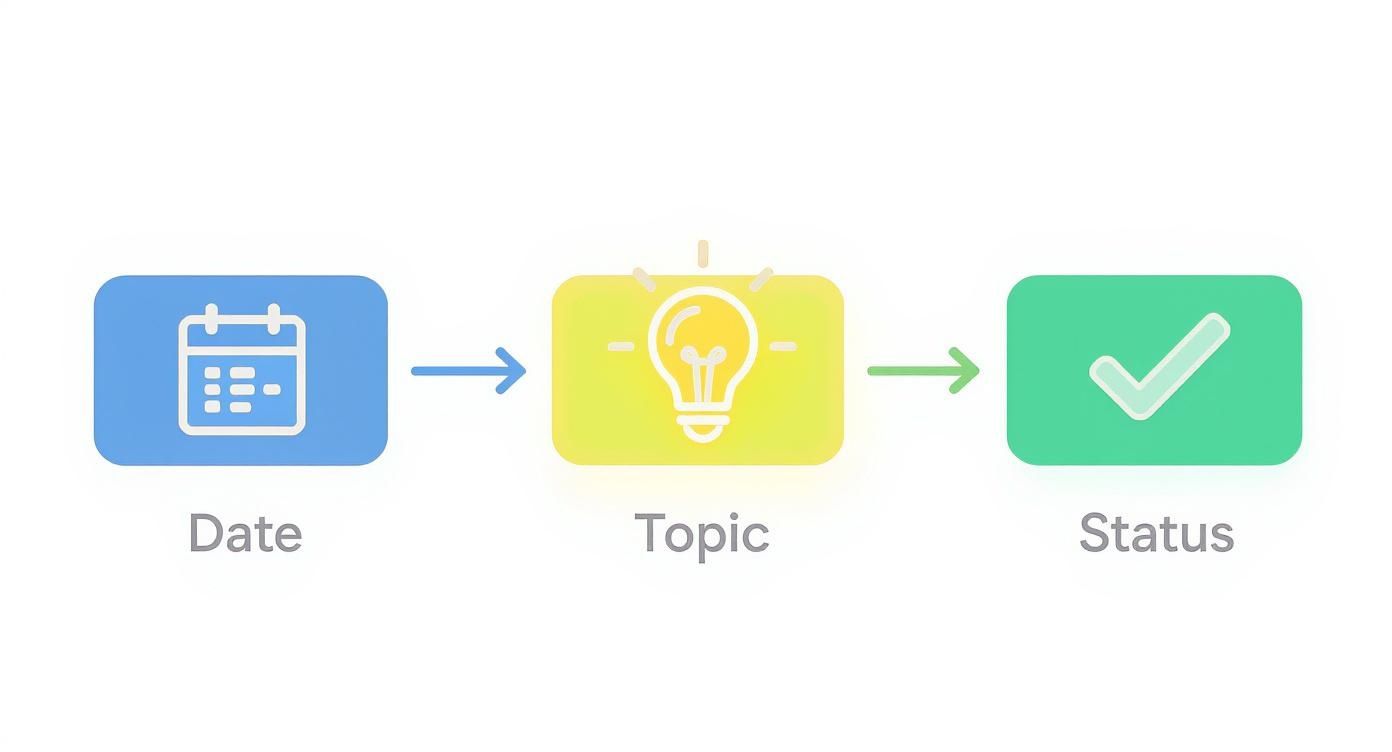
Breaking it down visually like this helps you see exactly how an idea becomes a real asset, step by step.
Mapping Your Content Production Stages
At its core, your workflow needs to cover four key phases: coming up with ideas, actually creating the content, getting it approved (even if it's just you giving the final look), and scheduling it.
So what does this look like in the real world?
For a solo creator, you can knock out your entire weekly LinkedIn content in just a few focused hours. Let’s walk through it:
- Monday Morning (1 hour): Pop open your "Idea Bank" tab and pick three topics for the week. Then, sit down and draft the copy for all three posts in one go.
- Monday Afternoon (1.5 hours): Time for visuals. This could be whipping up three simple carousels in Canva or filming and editing a quick video.
- Tuesday Morning (30 mins): Give everything one last proofread, then load it all into a scheduler like Buffer or just use LinkedIn’s native tool.
This method, known as content batching, is a total game-changer. By grouping similar tasks together, you get into a flow state and avoid the mental drain of constantly switching gears. You stop thinking about content every single day and start executing a plan.
Integrating Tools to Save Time
To make your process even more efficient, you can build tools right into your workflow. This isn't about making things more complicated; it's about letting technology handle the tedious stuff.
The best workflow is one you’ll actually stick with. It should make your life easier, not add more steps. Sustainability beats sophistication every time.
There’s a reason so many great tools exist for this. The global market for marketing calendar software was valued at a whopping USD 4.3 billion in 2023 and is expected to climb to USD 9.6 billion by 2032. This explosive growth shows just how vital these systems are for content creators.
You can also integrate AI assistants like autoghostwriter directly into your calendar. Try adding a new column to your spreadsheet called "AI Prompt." You can drop in a quick instruction to generate a first draft, which you can then edit and refine. This can cut your writing time down significantly.
For a deeper look at building these systems, our guide on content workflow management has you covered. By creating a smart, repeatable system, you build a content engine that keeps your pipeline full without taking over your life.
Tracking Performance and Repurposing Winners

A content calendar is more than just a schedule you set and forget. It should be a living document, a tool that gets smarter and more effective with every single post you publish. The key is creating a simple feedback loop where real performance data tells you exactly what to create next.
The easiest way to start is by adding a few extra columns to your calendar template. Right next to where you drop the "Live Post URL," add fields for the metrics that actually matter to your goals. If your focus is building brand awareness, track things like impressions and engagement rate. If it’s all about lead generation, then link clicks is your number.
Identifying and Analyzing Your Top Content
After you’ve been posting consistently for a month, it's time to dig in. Sort your calendar by your main KPI and see which posts genuinely connected with your audience. This simple review is where the gold is buried.
Start looking for patterns. What do your best-performing pieces have in common? Is there a shared theme, a specific format, or even a certain tone of voice?
- Format: Did your carousels consistently get more saves than your text-only posts?
- Topic: Did posts about a specific niche within your content pillars spark the most conversation?
- Hook: What type of opening line consistently stopped people from scrolling?
This data-first approach takes all the guesswork out of your strategy. If you want to go deeper, you can learn all about how to measure content performance and turn raw numbers into smart decisions. This is what separates a basic calendar from one that truly drives results.
Don't just celebrate a winning post—interrogate it. Understand exactly why it worked, and you'll have a repeatable formula for success that you can build your entire calendar around.
By simply logging these metrics right there in your calendar, you build an incredibly valuable historical record. A quick glance will show you what’s hitting the mark and what’s falling flat, letting you double down on your most effective tactics.
Maximizing ROI Through Content Repurposing
Once you've identified a "winner"—a post that clearly outperformed everything else—its job isn't done. Not even close. The real magic is in repurposing that proven idea into new formats. This is, without a doubt, the most efficient way to fill your calendar with content you already know people want.
Think of one great post as the seed for an entire mini-campaign. For instance, let's say a simple text post you wrote about common sales mistakes blew up. You can spin that one idea out in a dozen ways:
- A Detailed Blog Article: Expand on each mistake, giving real-world examples and actionable solutions.
- A Carousel Post: Turn each mistake into its own visually engaging slide with a clear headline.
- A Short-Form Video: Film a quick video where you talk through the top three takeaways.
- A Newsletter Edition: Package the insights as an exclusive deep-dive for your email list.
This strategy ensures you get every last drop of value out of your best ideas. It keeps your content pipeline full, reinforces your expertise, and guarantees your calendar is packed with content that’s already proven to work. This is how a simple schedule evolves into a powerful growth engine.
Answering Your Content Calendar Questions
Even with the best template in hand, you're going to hit a few snags when you start putting your content calendar into action. That's totally normal. Working through these common challenges is what turns a nice-looking spreadsheet into a system that actually gets you results.
Let's dig into some of the questions that come up most often.
How Far in Advance Should I Plan My Content?
As a general rule, aim to plan your content one month in advance. This hits the sweet spot—it gives you enough breathing room to be strategic and thoughtful without feeling like you're scrambling at the last minute.
But here’s a pro tip: don't book your calendar solid. I always suggest leaving about 10-20% of your slots open. Think of it as your flexibility fund. This space is crucial for reacting to a breaking industry story or jumping on a trend that's blowing up.
For bigger things, like a major product launch or an annual campaign, you can absolutely sketch out themes three to six months ahead. But keep the day-to-day post creation on that monthly cycle. You want a rhythm, not a rigid set of rules.
What’s the Best Tool for a Content Calendar?
Honestly, the best tool is the one you and your team will actually use. It’s so easy to get sucked in by software with a million features, but simplicity and consistency almost always win.
For most folks, especially solo entrepreneurs or small teams, a good old-fashioned spreadsheet is perfect. A tool like Google Sheets or Airtable is free, flexible, and makes collaboration a breeze. You can build a surprisingly powerful system without paying a cent.
Don’t overcomplicate your tools. The goal is consistency, not complexity. Start with a simple spreadsheet—you can always migrate to a paid platform later if your workflow truly demands it.
When do you need something more? Paid tools like CoSchedule or Asana are great for larger teams that need to manage complex approval workflows or want to schedule and publish posts directly from the calendar. But my advice is always the same: start simple. Nail down your process first, then find a tool that supports it.
How Do I Find Enough Ideas to Fill My Calendar?
The fear of the blank calendar is real. The trick is to stop waiting for a lightning bolt of inspiration and start building a system for capturing ideas.
First, go back to your content pillars. Every single post idea should tie back to one of them. This instantly narrows your focus and makes brainstorming much easier.
Second, become an obsessive listener.
- What questions pop up on sales calls?
- What are people asking in your DMs or comments?
- What problems do your customers talk about all the time?
These are pure gold. Finally, create an "Idea Bank" tab right in your content calendar spreadsheet. Any time an idea pops into your head—good, bad, or half-baked—toss it in there. When it’s time to plan, you'll have a running list to pull from instead of a blank page.
Ready to turn your LinkedIn into a meeting-generating machine? Unibox helps you automate your outreach, manage all your conversations in one place, and use AI to write personalized messages faster. Start your free 14-day trial and see how easy it is to book more meetings.