How to Schedule LinkedIn Posts for Max Engagement
Published on 2025-11-30
Scheduling your LinkedIn posts is about so much more than just saving a few minutes here and there. It's a strategic decision that shifts you from posting whenever you remember to building a reliable, professional presence. When you plan your content, you develop a consistent, authoritative voice that keeps you top-of-mind with your network. This simple workflow change frees you up for what really moves the needle: genuine engagement.
Why You Should Schedule Your LinkedIn Posts
Let’s get past the obvious. Yes, it saves time. But the real magic of scheduling is how it completely changes your mindset about LinkedIn. Instead of scrambling for an idea every morning, you're building a system that ensures your content is always thoughtful, strategic, and delivered on time.
This approach lets you batch your content creation. Imagine setting aside just one block of time to write, design, and line up an entire week or even a month of posts. I’ve found this single habit frees up an incredible amount of mental energy, which I can then redirect to higher-value activities—like actually responding to comments, engaging with my network's content, and building real relationships.
Establish Authority Through Consistency
Posting regularly sends a clear signal to your audience: you're an active, knowledgeable voice in your industry. A steady flow of content builds your authority and cements your expertise over time. Your network starts to look forward to your insights, and you become their go-to resource.
This kind of reliability is how you stay top-of-mind. When a new job opportunity, a collaboration, or a sales lead comes up, people think of those who consistently show up with valuable ideas. Scheduling is your insurance policy against falling off their radar.
A Quick Look at Your Scheduling Options
Before we get into the nitty-gritty of how to schedule posts, it helps to know your options. The right tool for you really depends on your goals—whether you’re just posting occasionally or managing a full-blown, multi-platform campaign.
Let's break down the main ways you can schedule your LinkedIn content.
LinkedIn Post Scheduling Methods at a Glance
This table gives a quick comparison of the main ways to schedule your LinkedIn content, highlighting their key features and best use cases.
| Scheduling Method | Best For | Key Features |
|---|---|---|
| LinkedIn Native Scheduler | Individuals and small businesses who are just starting out or have simple scheduling needs. | • Free and built right into the platform • Simple to use on both desktop and mobile • Limited to scheduling 3 months in advance |
| Third-Party Tools (e.g., Buffer, Sprout Social) | Professionals and teams who need more firepower, like cross-platform management and deeper analytics. | • Bulk scheduling and content queues • Advanced analytics and reporting dashboards • Collaboration and team approval workflows |
Ultimately, choosing a tool and building a scheduling habit is about working smarter, not harder. It’s a foundational practice that supports a more impactful, less stressful, and highly effective LinkedIn strategy. By planning ahead, you're not just publishing content; you're intentionally building a professional brand that gets results.
Getting to Grips with LinkedIn’s Own Scheduling Tool
https://www.youtube.com/embed/RXrfg-huxYU
Before you even think about third-party tools, it's worth getting your hands dirty with the scheduler LinkedIn gives you for free. It’s a simple, no-frills feature that’s honestly perfect if you're just trying to get into a consistent posting rhythm without spending a dime. Think of it as your first step to getting organized.
The best part? It’s built right into the "Create a post" window you already know. There's no separate app to download or complicated dashboard to learn. Whether you’re at your desk or on your phone, the process is exactly the same, which is a huge plus when you're just starting to plan content in advance.
How to Actually Schedule a Post
Finding the scheduler is dead simple. After you’ve written your post—text, image, video, whatever—just look for the little clock icon next to the "Post" button. That’s your entry point.
Clicking that clock brings up a straightforward calendar. You can pick any date and time up to three months out, giving you a pretty generous planning window. The interface is clean and doesn't throw a bunch of confusing options at you. You just pick a day, pick a time, and you're almost done.
Here’s what that scheduling window looks like once you click the clock icon.
As you can see, it’s just a simple date and time picker. Once you’ve set it and hit "Next," you’ll get one last look at your post to make sure everything's right. Then, just click "Schedule," and it’s officially in the queue.
Knowing the Limits of the Native Tool
While the built-in scheduler is a great place to start, it has some pretty significant drawbacks you’ll run into eventually. Knowing what these are ahead of time will help you figure out when it's time to upgrade to a more serious tool.
The biggest headache with LinkedIn's scheduler is that you can't edit a post once it's scheduled. If you catch a typo or want to swap out an image, you have to delete the whole thing and start over.
This is a real pain, especially for longer, more thoughtful posts. It forces you to be 100% sure your content is perfect before you hit schedule, which isn't always realistic.
Beyond that one major flaw, there are a few other key features you'll notice are missing, especially when you compare it to paid tools:
- No Bulk Scheduling: You have to schedule every single post one by one. There’s no way to upload a spreadsheet of posts for the week or month, which gets old fast if you're trying to be efficient.
- Limited Post Types: You can’t schedule everything. For instance, you can't schedule interactive posts like Polls. Those still have to be published in real-time.
- No Smart Analytics: The tool won’t give you any data-driven suggestions on the best times to post for your audience. You're basically guessing or relying on generic advice you find online.
- No Team Features: If you work with a team, forget about it. There’s no way to save drafts for review or leave feedback for a colleague within the scheduler itself.
These limitations make LinkedIn's tool ideal for a solo creator or a small business with a straightforward content plan. It's fantastic for basic "set it and forget it" scheduling. But as your content strategy grows, you'll quickly feel boxed in.
Unlocking Advanced Features with Third-Party Tools
Sooner or later, you'll hit the limits of what LinkedIn's built-in scheduler can do. It’s a great starting point, but when you're ready to get serious and treat your content like the strategic asset it is, it's time to bring in a third-party tool. These platforms are built from the ground up for efficiency, deep-dive analytics, and team collaboration, filling all the gaps left by the native scheduler.
Think of it this way: LinkedIn’s tool is like the basic calendar app on your phone—it’s fine for simple reminders. A dedicated platform like Buffer or Sprout Social is a full-blown content command center, designed for people who need more control and insight.
For instance, a marketing agency juggling a dozen client accounts can't afford to schedule every post manually. They need a system to organize, approve, and deploy content at scale without losing their minds. This is where external schedulers really prove their worth.
Going Beyond the Basics of Scheduling
The most immediate win you'll get from a third-party tool is breaking free from the native scheduler's limitations. Features that might seem like small conveniences at first quickly become the backbone of a sustainable workflow. They're designed to save you clicks, time, and a whole lot of frustration.
Some of the most impactful features you'll find are:
- Content Queues: Instead of picking a specific date and time for every single post, you just add your content to a queue. The tool then automatically publishes from that queue based on a schedule you define—say, twice a day on weekdays. Set it and forget it.
- Bulk Uploading: This is an absolute game-changer. You can prep dozens of posts in a single spreadsheet, upload it, and schedule out an entire month's worth of content in minutes.
- Editing Scheduled Posts: Unlike LinkedIn's "delete and start over" policy, nearly every third-party tool lets you easily tweak text, swap an image, or adjust the publish time of a scheduled post with just a few clicks.
These capabilities transform LinkedIn scheduling from a tedious, repetitive chore into a streamlined, strategic process.
The real power here isn't just about pushing content out; it's about building a predictable content engine. You can batch your creative work, get everything approved and locked in, and then shift your focus to what really matters—engaging with your audience in real-time.
Real-World Scenarios and Use Cases
How you actually use these tools really depends on your goals. A solo consultant has completely different needs than a large marketing department, and a good platform will support both workflows without a hitch.
The Solo Consultant: Picture a business coach who wants to post a client success story every Tuesday and a thought leadership piece every Thursday. Using a tool with a free or low-cost plan, they can set up a simple content queue. They can spend one Sunday afternoon writing four weeks' worth of content, drop it all into the queue, and feel confident that their LinkedIn presence will stay active and consistent while they focus on their clients.
The Marketing Team: Now, think about a B2B tech company with a content manager, a graphic designer, and a head of marketing. The content manager drafts the posts in their scheduling tool, tags the designer to add visuals, and then submits the finished post for review. The head of marketing gets a notification, looks it over, and hits "approve"—all inside the same platform. No more messy email chains or wondering if everyone is looking at the latest version.
Making Data-Driven Decisions with Analytics
Perhaps the single biggest advantage of using an external tool is the access to meaningful data. While LinkedIn offers some basic analytics, dedicated platforms provide much deeper insights that help you sharpen your strategy. You can finally get clear answers on which content formats resonate, what topics drive the most clicks, and when your audience is actually online and listening.
For example, knowing the best times to post is critical. Data consistently shows that LinkedIn engagement follows professional work patterns. A comprehensive analysis from Sprout Social found that engagement is highest on weekdays, especially Tuesday through Thursday. The best windows are often early in the morning around 7:00-8:00 AM and during the midday break from 11:00 AM to 1:00 PM. You can check out their full report on the best times to post on LinkedIn for more detail. Good tools use this kind of data—plus your own account’s performance—to give you smart recommendations.
These platforms usually provide:
- Post-by-post performance metrics showing reach, clicks, comments, and shares.
- Cross-platform comparisons if you're managing other social channels.
- Customizable reports you can easily share with your boss or clients.
By checking this data regularly, you can stop guessing and start making informed decisions.
For a deeper dive into choosing the right platform for you, take a look at our guide on the best social media management tools for your needs. It'll help you compare features and find a solution that fits your specific budget and goals.
Finding Your Audience's Golden Hours
Knowing how to schedule posts is one thing, but knowing when to post is what separates the noise from the signal. You can have the most brilliant content in the world, but if you publish it when your audience is offline, you're essentially shouting into an empty room.
The key is to find your audience's "golden hours"—those peak times they're actually scrolling, thinking, and engaging on LinkedIn. There’s no single magic time that works for everyone. It's a bit more nuanced than that. While general data gives us a fantastic starting point, your specific industry and audience will have their own unique rhythms. A C-suite executive in finance has a very different daily routine than a freelance graphic designer, and their LinkedIn habits will reflect that.
Start With General Peak Engagement Times
Before you get lost in your own analytics, it's smart to lean on what the broader data tells us. LinkedIn is a professional network, so activity naturally clusters around the typical workday. Think about it: people hop on before work, during a coffee break, or as they're winding down for the day.
Recent data for 2025 gives us some pretty clear pointers. Studies show that Tuesday, Wednesday, and Thursday are the power days, consistently seeing engagement rates around 34% higher than other weekdays. What’s interesting is that Saturday has also started to pop, showing 28% higher engagement than Friday. It seems the weekend scroll is becoming more of a professional habit.
This graphic really drives home which days pack the most punch.
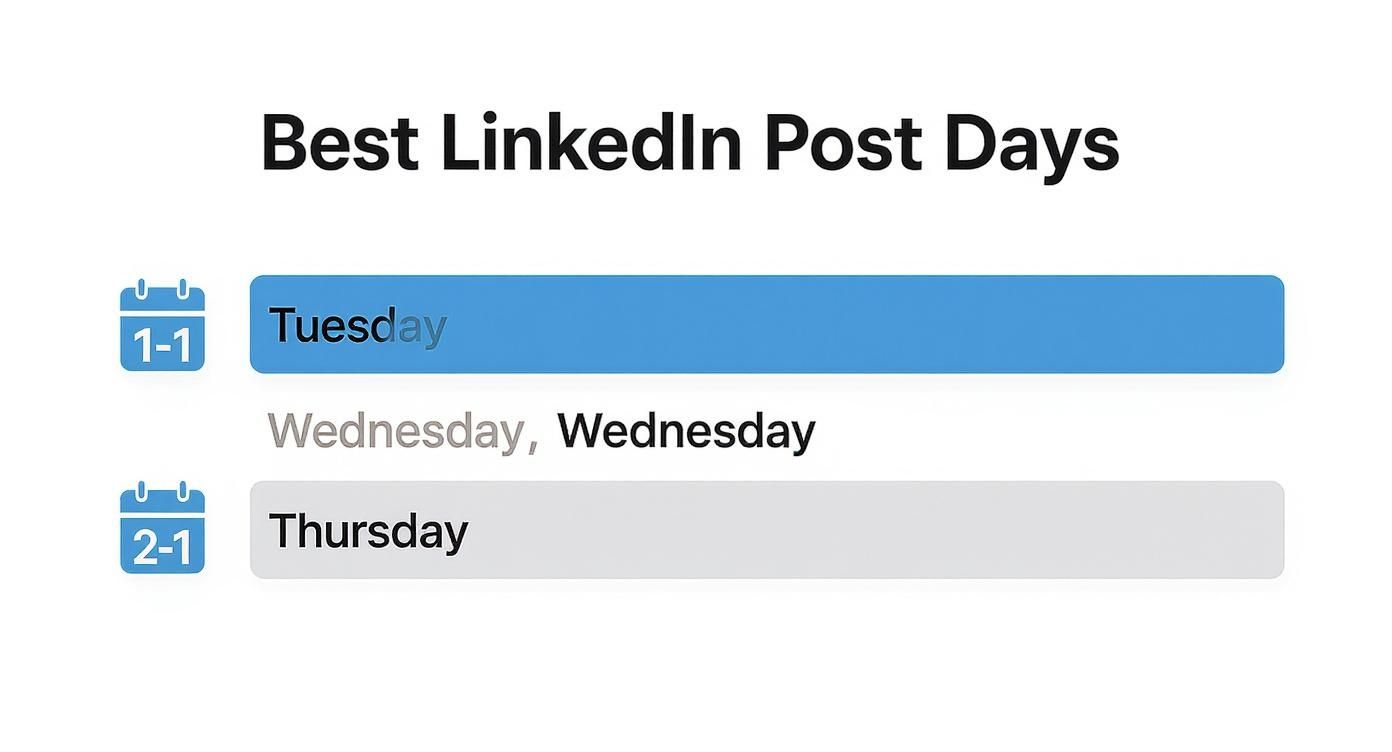
The big takeaway? Midweek is still king for reaching the widest professional audience.
To get you started, here’s a table summarizing the most common high-engagement windows. Think of these as your baseline for experimentation.
| Day of Week | Primary Time Slot | Secondary Time Slot |
|---|---|---|
| Tuesday | 9:00 AM - 11:00 AM | 12:00 PM - 2:00 PM |
| Wednesday | 8:00 AM - 10:00 AM | 1:00 PM - 3:00 PM |
| Thursday | 9:00 AM - 12:00 PM | 4:00 PM - 5:00 PM |
| Saturday | 10:00 AM - 1:00 PM | N/A |
These times are a solid foundation, but the real magic happens when you layer your own data on top.
Dig Into Your Own LinkedIn Analytics
General advice is a great starting point, but your own data is gold. LinkedIn’s analytics will help you zero in on when your followers are most active, and that's the most reliable way to find your network's unique pulse.
If you're running a Company Page, here's how to find it:
- Head over to your LinkedIn Company Page.
- Click the "Analytics" tab, then select "Followers".
- This won't give you a direct "most active times" chart, but it provides crucial clues about your followers' industries, seniority levels, and locations.
For a personal profile, you have to play detective a bit more. First, make sure you have Creator Mode turned on to unlock deeper post analytics. Then, start paying close attention to the engagement you get—likes, comments, shares—in the first couple of hours after you post. After a few weeks of experimenting with different times, you'll absolutely start to see a pattern.
Pro Tip: Don't just analyze your own posts; observe your network. Scroll your feed at different times. If you see a flood of fresh, relevant content from your ideal connections around 8 AM, that's a massive clue that it's a great time for you to be posting, too.
How Often Should You Post?
Once you've figured out when to post, the next piece of the puzzle is how often. Your goal is to be consistently present without being annoying. Post too much, and people will tune you out. Post too little, and you'll never build momentum.
For most people and businesses, the sweet spot is somewhere between two and five times per week.
- 2-3 times per week: This is perfect for individuals focused on building their personal brand. It's enough to establish expertise and stay on people's radar without leading to content burnout.
- 4-5 times per week: A great cadence for company pages or anyone in a fast-paced industry like tech or marketing. This keeps a steady flow of news, insights, and updates coming.
Dropping below twice a week makes it tough for the algorithm to give you much love, and you risk being forgotten. On the flip side, posting more than once a day is almost always overkill and can actually hurt your engagement per post. For a deeper dive, check out this guide on the best times to post on LinkedIn.
Ultimately, the best schedule is the one you can actually stick to. Use these guidelines as your starting point, test different days and times, and let your own results tell you what's working.
Building a Sustainable Scheduling Workflow

Real consistency on LinkedIn isn't about hustle and grind. It’s about having a smart system. The point isn’t just to schedule posts, but to build a workflow you can actually stick to week in and week out. It’s your secret weapon against the dreaded daily panic of, "what am I going to post today?"
When you get this system right, it removes the stress and keeps your content quality high over the long haul. You'll stop reacting to an empty calendar and start proactively filling it with content that genuinely builds your brand.
Use Content Pillars to Guide Your Strategy
The first step is to stop thinking one post at a time. Start thinking in terms of content pillars. These are simply the three to five big-picture topics you want to be known for. They become the foundation for everything you create.
For example, if you're a marketing consultant, your pillars might look like this:
- SEO Strategy: Sharing tips on keyword research or technical audits.
- Client Success Stories: Highlighting real results and testimonials.
- Industry News: Giving your take on recent algorithm updates.
- Personal Branding: Offering advice on building a professional network.
Once you have these pillars, brainstorming gets so much easier. You're no longer staring at a blank slate; you're just filling in specific buckets with ideas. A simple but effective LinkedIn content calendar is a great way to map these pillars to your posting schedule.
Create Theme Days for Easy Brainstorming
Now, let's add a bit more structure. Assign each of your pillars to a specific day of the week. This little trick gives your content creation process a predictable rhythm and makes coming up with ideas a breeze.
Here’s a practical example of what that could look like:
- Mindset Monday: A personal story or motivational insight.
- Tech Tip Tuesday: A quick, actionable tip about an industry tool.
- Wins Wednesday: A client success story or a recent professional achievement.
- Thoughtful Thursday: A longer post that dives deep into one of your core pillars.
- Fun Fact Friday: Something lighthearted about your industry or personal interests.
This framework acts as a daily prompt, completely removing the friction of starting from scratch. You already know the type of content you need to create, which is often half the battle.
Long-term consistency isn't about having endless inspiration. It's about building a system that works even when you don't feel inspired. Theme days are a core part of that system.
Embrace the Power of Batching Content
This is the workflow that ties it all together: batching. It’s the simple practice of dedicating one block of time to create and schedule all your content for the week—or even the month—at once. Instead of scrambling for 30 minutes every day, you just find one two-hour slot on a Sunday afternoon.
My personal process is to block out two hours every Friday. In that time, I write all five posts for the coming week based on my theme days, create any images I need, and load everything into my scheduling tool. For the rest of the week, I only log in to engage. No content creation stress. That's how you get your time and mental energy back.
Remember, the goal is a sustainable frequency. The data suggests that posting between 2 to 5 times per week is the sweet spot for boosting reach and engagement. One study found that going from one post a week to this range generated about 1,182 more impressions per post. You can discover more insights about LinkedIn posting frequency and its impact on your visibility. Batching makes hitting this optimal cadence feel totally effortless.
Even with the best plan in place, you're bound to have questions when you start scheduling your LinkedIn posts. Getting these sorted out early will save you a ton of headaches and help you build a solid content strategy from day one.
Let's dive into some of the most common questions I hear.
Your Top LinkedIn Scheduling Questions, Answered
Can I Edit a Scheduled LinkedIn Post?
This is a big one, and the answer completely depends on where you scheduled it.
If you used LinkedIn's built-in scheduler, the answer is a hard no. Once you hit that schedule button, it's locked in. You can't change a single word, swap an image, or fix a typo. Your only move is to delete the whole thing and start from scratch. It's a frustrating limitation, to say the least.
This is where third-party tools are a lifesaver. Platforms like Buffer or Sprout Social give you total flexibility. You can hop in and tweak the copy, update the visuals, or change the publish time right up until the moment it’s set to go live. For many serious users, this editing capability alone makes an external tool worth it.
Does Scheduling Posts Hurt Engagement?
Let's clear this up for good: this is a myth. The LinkedIn algorithm does not care one bit whether you published a post manually or used a scheduler. The platform's own tool wouldn't exist if it penalized you for using it.
Your post's success always comes down to the fundamentals:
- Is the content actually good? Does it offer real value or spark a conversation?
- Is it relevant to your audience? Are you talking about things they care about?
- Did you post it at the right time? Is your network online to see it?
In fact, scheduling almost always helps your engagement over the long run. Why? Because it enables consistency. Showing up reliably at the best times for your audience is exactly what the algorithm wants to see.
The bottom line is simple: your audience and the LinkedIn algorithm care about what you post, not how you posted it. Consistency beats spontaneity every time.
How Far in Advance Should I Schedule Posts?
Finding the perfect rhythm here is all about balancing planning with flexibility. For most people, scheduling content one to two weeks out is the sweet spot.
This window is perfect for batching your work. You can set aside a couple of hours to write, design, and schedule a full week or two of content. It’s a massive productivity win that gets content creation off your daily to-do list.
At the same time, planning just a week or two ahead keeps you agile. You still have room to jump on a trending topic, share some breaking industry news, or post something that feels relevant right now. If you schedule content months in advance, you risk sounding out of touch. A one-to-two-week cadence is the perfect middle ground.
What Types of Content Can I Schedule?
The good news is that you can schedule all the bread-and-butter post formats that drive a strong content strategy. This includes the essentials like:
- Text-only updates
- Posts with a single image or multiple images (like carousels)
- Native video posts
- Posts with a link to an article or resource
Where you run into trouble is with some of the more interactive or specialized formats. For instance, LinkedIn Polls almost always have to be published manually, right in the moment. The same often goes for specific "Celebrate an occasion" templates.
It's always smart to double-check the features of whatever tool you're using. Most support the basics, but there can be small differences in how they handle things like tagging people in scheduled photos or videos. Knowing these limitations upfront will help you plan your content calendar without any last-minute surprises.
Ready to stop scrambling and start building a consistent, high-impact presence on LinkedIn? Unibox can help. Our platform lets you combine automated outreach sequences with a smart, unified inbox, so you can focus on the conversations that actually lead to booked meetings. Start your free trial today and see how easy it is to scale your outreach without the busywork.